
Wedding Seating Chart
Create a stress-free seating plan in minutes. Move guests, handle plus-ones, and share with family — no spreadsheets.
- No account needed to start
- Private by default — share only what you want
- Works on mobile + desktop
- Drag-and-drop seating plan
- Guest list + RSVP tracking
- Smart grouping for families
- Share link for approvals
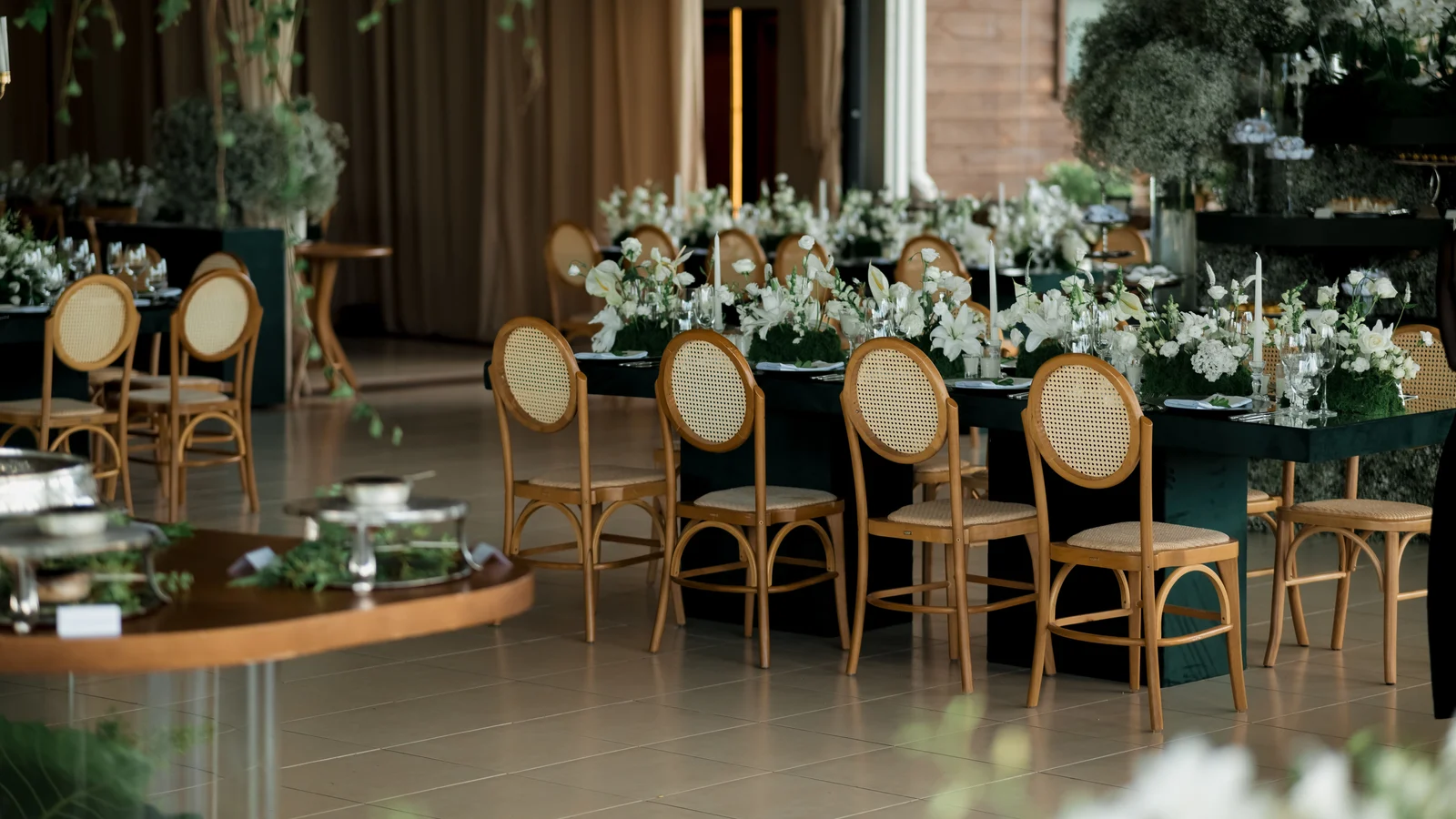
Why seating charts get stressful
Seating is not just “put names on tables”. It’s constraints, relationships, last-minute changes, and real-world room limits.
How it works
Start with your guest list, then build layouts and place guests with drag & drop. Share a link when you want approvals.
1) Create your project
Pick your event type and get a clean workspace for guests, seating, and your event page.
2) Add guests
Enter guests manually or import a list, then track RSVPs and notes.
3) Build your seating plan
Arrange tables and move guests in seconds, with capacity limits and clear overview.
4) Share & approve
Send a private link to family or your planner to review and approve changes.
Common seating chart scenarios
Real weddings have real constraints. These are the scenarios a good seating chart must handle without chaos.
Seating chart: app vs spreadsheet
Spreadsheets are fine until you start moving guests. A seating chart tool keeps changes visual, consistent, and easy to share.
Spreadsheets
- Hard to visualize tables and capacity
- Moving people breaks structure quickly
- Sharing creates multiple versions
- No clean approval flow
Wedding Seat
- Drag & drop with clear capacity limits
- Guest list stays the single source of truth
- Share one private link for review
- Fast approvals without chaos
More wedding planning tools
Wedding Guest List
Track invitations, RSVPs, plus-ones, and families in one place.
Guest List Template
Use a live template instead of spreadsheets — always accurate.
Seating Chart Template
A live seating template that stays consistent as guests change.
Wedding Budget
Track costs, deposits, payments, and remaining totals.
Wedding Checklist
Stay on track with a checklist that adapts as you plan.
Wedding RSVP
Collect replies, meal choices, and plus-ones online.
Wedding Timeline
Build the wedding-day schedule and share it with vendors.
Wedding Website
Publish a shareable site with details, RSVP, and registry.
A wedding seating chart is one of the last big puzzles you solve before the big day — and also one of the most emotionally loaded, because it forces you to put every family dynamic, old friendship, and new relationship onto a single grid. This guide walks through exactly how to build one that actually works in the room, using the interactive tool above, with real steps, real etiquette, and the mistakes that trip up almost every couple.
What Do People Actually Call This Thing?
Ask five couples what they’re building and you’ll get five different answers — and all of them are correct. Some call it a seating chart, others a table plan or seating plan, and plenty of planners just say ‘the table planner’ or ‘the layout.’ On wedding forums you’ll see it shortened to ‘the chart’ or ‘the assignment board.’ Caterers and venue coordinators tend to use ‘reception layout’ or ‘floor plan with table assignments,’ especially when they’re also mapping out the dance floor, bar, and cake table around your guest tables. If you’re building the head table specifically, you might hear ‘head table seating arrangement,’ ‘sweetheart table setup,’ or the more old-school ‘king’s table seating chart,’ where the couple and full wedding party sit along one long table facing the room. A ‘rustic table planner’ usually just means the same tool applied to farm-table or barn-style layouts instead of round tables. And when couples say they want a ‘free table planner’ or ‘seating plan wedding online,’ they mean exactly the kind of drag-and-drop, no-cost digital layout you’re using right now above this article. None of these terms describe different tools — they describe the same core task from different angles: deciding who sits where, and making sure everyone can see it clearly on the day.
- Seating chart, table plan, and seating plan are used interchangeably
- ‘Reception layout’ is the vendor/coordinator term
- Head table seating arrangement, sweetheart table, and king’s table describe the couple’s table style
- Rustic table planner just means the same tool for farm-table layouts
- Free table planner / seating plan wedding online refers to digital tools like this one
Why You Need One (Even for a 40-Guest Wedding)
It’s tempting to skip a formal chart for a small or casual wedding, thinking guests will just ‘figure it out.’ In practice, unassigned seating at anything over 25–30 guests almost always creates a slow, awkward scramble at the reception entrance, with couples and close friends left standing while everyone else claims seats near the bar or the door. A chart isn’t about control for its own sake — it’s a hospitality tool. It tells your grandmother exactly where to go the moment she walks in, keeps college friends together instead of scattered next to strangers, and prevents the two feuding cousins from ending up elbow-to-elbow for four hours. It also matters enormously for your catering count: banquet captains often plate or serve by table, so a chart with accurate per-table headcounts directly affects how smoothly dinner service runs. Even micro-weddings under 30 people benefit from at least a simple diagram taped near the entrance, because it removes decision fatigue for guests who are often traveling, dressed formally, and just want to be told where to sit. The bigger the guest list, the more this becomes non-negotiable — but the benefit exists at every size.
Seating Chart vs. Escort Cards vs. Place Cards
These three get confused constantly, but they solve different problems. A seating chart is one large display — a poster, mirror, or digital screen — showing every guest’s name next to their table number, usually displayed near the entrance so people can find themselves before walking in. Escort cards are individual small cards, one per guest, handed out or picked up at a table near the entrance, each printed with a name and a table number; guests carry the card to their table and then set it down or discard it. Place cards go a step further: they sit directly at each individual seat at the table, meaning you’ve assigned not just the table but the exact chair. Most couples use either a seating chart or escort cards, but not both — they accomplish the same goal of directing guests to a table. Place cards are typically added only for formal, plated dinners with a head table or when you need to carefully separate specific people within the same table (an ex-in-law situation, for example). If you’re unsure which combination fits your reception style, our guide on escort cards vs. seating chart breaks down when each format actually saves you money and stress.
When to Start Building It
Start your first draft the moment your RSVP deadline passes — typically three to four weeks before the wedding — but don’t expect to finish it in one sitting. Realistically, most couples go through three to five revisions between the RSVP cutoff and the final week. The first draft is rough: just get every confirmed guest onto some table, even messily. The second pass is where you fix obvious problems — singles sitting alone, siblings split apart, or a table that’s accidentally all your partner’s coworkers and no one else. The final pass, usually five to seven days before the wedding, locks in last-minute cancellations, late-arriving plus-ones, and any final family diplomacy. Trying to finalize a chart too early — say, six weeks out — almost always backfires, because RSVPs are still trickling in and you’ll end up rebuilding tables from scratch anyway. Trying to build it the week of the wedding, on the other hand, leaves no room to catch the awkward pairings your maid of honor would have caught with two extra days to review it. The sweet spot is: rough draft immediately after RSVPs close, refined draft a week later, final version five to seven days out.
Getting Your Guest List and RSVP Data Ready
Before you touch table shapes or a single drag-and-drop assignment, your guest list needs to be clean. Pull your final RSVP count — not your invited count — because building around invited numbers means you’ll spend hours rearranging tables for people who never confirmed. For every guest, you want four pieces of information ready: their full name as it should appear, whether they’re attending with a plus-one or family members, any dietary restriction relevant to catering, and which ‘cluster’ they belong to (bride’s college friends, groom’s cousins, mom’s coworkers, and so on). Clusters matter more than almost anything else in this process, because tables work best when they’re built around a shared connection rather than pure headcount-filling. Import or type this list into the seating chart tool above first, before assigning a single seat — most of the frustration couples report with seating charts comes from trying to plan table shapes and guest placement simultaneously. Separate those two decisions. Get your clean, confirmed list in first; decide the room layout second; place people third.
Choosing Round Tables, Banquet Tables, or Both
Round tables (typically seating 8–10 guests at 60-inch rounds, or 6–8 at 48-inch rounds) are the default at most receptions because they encourage conversation across the whole table and photograph beautifully from above. Banquet tables — long rectangular tables, usually 6 or 8 feet, seating 6–8 people per table or more if pushed end-to-end — create a family-style, communal feel and are especially popular at barn, vineyard, and garden weddings. The tradeoff: banquet tables seat more people per linear foot of venue space but make it harder for guests at opposite ends to talk to each other, while round tables use floor space less efficiently but keep every guest within easy conversational reach. Many receptions mix both — a long banquet table for the wedding party or immediate family, and round tables for everyone else — which is worth planning carefully in the tool above since mixed layouts change your total floor-space math. If your venue has a fixed footprint, always confirm your caterer or venue coordinator's recommended tables-per-square-foot ratio before finalizing shapes; venues often quietly prefer one table type because it matches their existing linens and chargers. For a full side-by-side breakdown, see our guide on banquet vs. round wedding tables.
Always confirm chair spacing with your venue before finalizing table count — 60-inch rounds need roughly 5 feet of clearance around them for guests to pull chairs out comfortably.
Deciding Your Head Table Style
The three most common approaches are a sweetheart table (just the couple, seated alone, facing the room), a traditional head table (the couple plus the full wedding party, usually along one long table facing the guests), or a king’s table setup (a long, often lower table where the couple and wedding party sit family-style, sometimes with parents included, popular at rustic and European-influenced weddings). Sweetheart tables have become the most popular choice over the last decade because they give the couple a quiet moment together and simplify the head table’s plus-one and spouse logistics — bridesmaids’ and groomsmen’s dates simply sit at a nearby guest table instead of being squeezed onto the head table itself. Traditional head tables work best when the wedding party is small and close, and when you want a clear visual focal point for toasts. King’s tables suit outdoor, rustic, or vineyard weddings where a long, lower table fits the aesthetic and where blending parents and wedding party into one relaxed table matches the tone of the day. Whichever you choose, decide it early, because it changes how many guest tables you need and how your toasts and cake-cutting sightlines work. Our full comparison in head table vs. sweetheart table walks through the pros, cons, and cost differences of each.
Grouping Guests Into Tables Without Starting a Family Feud
The single best rule for grouping guests: seat people with someone they already know. Nobody should be the only person at their table without a built-in conversation partner — that means no solo seating of a single coworker among a table of your college roommates, and no isolating one distant cousin at a table of your partner’s childhood friends. Build your tables around natural clusters first — immediate family, wedding party, college friends, workplace groups, neighborhood friends — and only then blend leftover half-tables together, ideally pairing groups with some shared context (two friend groups who’ve met before, or families whose kids are the same age). Avoid the common trap of building a literal ‘random singles and plus-ones' catch-all table; if you must combine unconnected guests, prioritize putting outgoing, social people there rather than the two shyest guests on your list. For guests from very different areas of your life — say, your partner’s work friends and your childhood neighbors — a shared interest (both groups love golf, both are new parents) is a better anchor than simply filling seats. When in doubt, ask a parent or close friend to sanity-check your draft; they’ll often catch a decades-old grudge or a recent breakup you forgot about.
Step-by-Step: Building Your Chart in the Tool Above
1. Import or type in your final RSVP list first, before touching table shapes — the tool above lets you add guests individually or paste a list, and this becomes your master roster for every following step. 2. Choose your table shapes and quantities on the canvas — drag in round or banquet tables to match your venue's floor plan, and set each table's seat count to match your rentals. 3. Place your head table or sweetheart table first, since every other table's position is usually planned relative to it — position it facing the dance floor or focal point of the room. 4. Drag your confirmed guests from the unassigned list onto tables, working cluster by cluster — start with immediate family and wedding party, then friend groups, then coworkers, filling each table to its seat limit as you go. 5. Use the tool's unassigned-guest counter to confirm zero guests are left unplaced before moving on — this catches forgotten plus-ones or late RSVPs immediately. 6. Review each table for the ‘lonely guest' problem — anyone sitting without at least one person they already know — and swap seats between tables until every table has a natural connection. 7. Export or share your draft with your partner, parents, or planner for a second-pass review, then lock in the final version and generate your printable or digital display chart for the entrance.
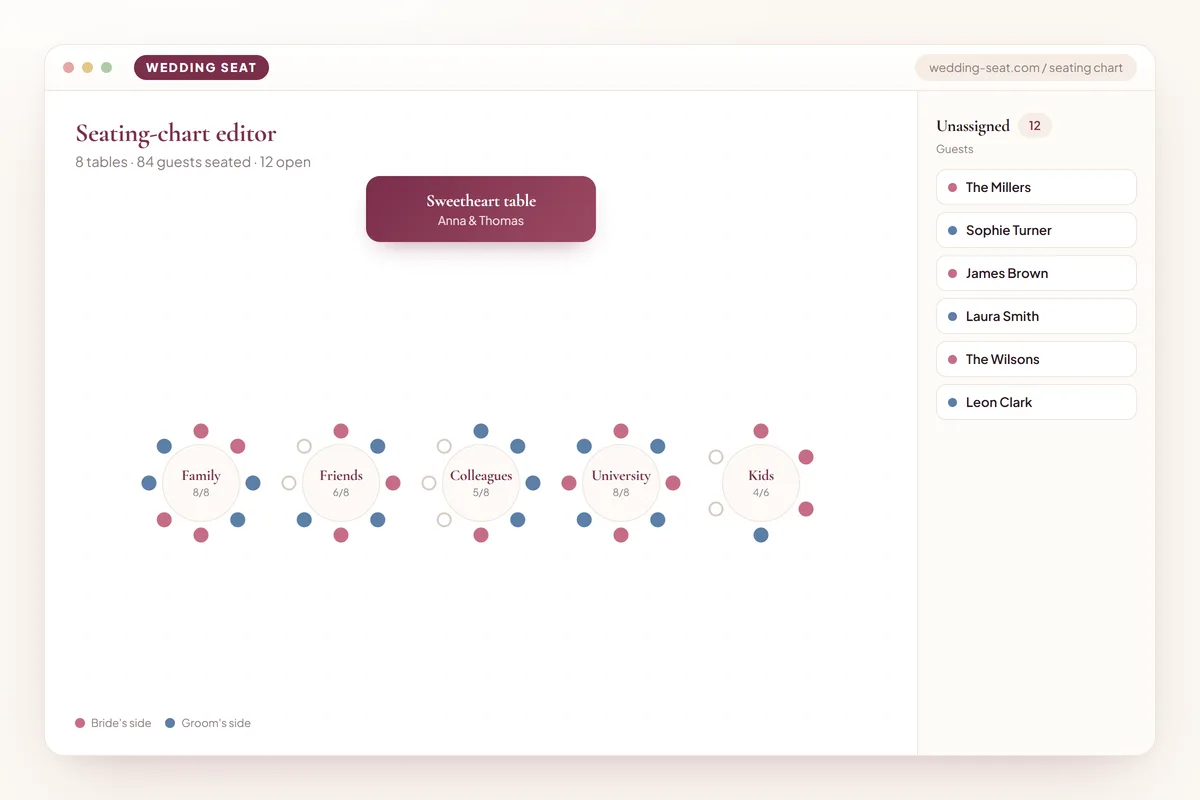
Plus-Ones, Kids, and Blended Family Tables
Plus-ones should sit with the guest who invited them, never off in a separate ‘plus-ones' table with strangers — a plus-one's entire comfort at the wedding depends on being seated next to the person they actually know. For children, the classic ‘kids' table' works well for groups of five or more kids roughly the same age (typically 5–12), ideally staffed with light supervision or activity sheets to keep them occupied during toasts; younger children and toddlers usually do better seated directly with their parents rather than at a separate table. Blended families — especially where parents have new partners or stepchildren are involved — deserve extra care: default to seating each nuclear family unit together (a parent, their new spouse, and their kids) rather than splitting children between two tables to accommodate both biological parents, unless the family has explicitly requested otherwise. If you have several blended families attending, it can help to group them at one larger, family-friendly table rather than scattering them individually, since they'll often share a similar rhythm of managing kids during a long reception. Always confirm plus-one names before finalizing — 'and guest' on an RSVP card should be converted to an actual name and added to the tool as an individual guest, not left as a placeholder seat.
Navigating Divorced Parents and Complicated Family Seating
When parents are divorced, the safest default is to seat each parent with their own current spouse or partner (if applicable) at separate tables, positioned at a comparable distance from the head table so neither feels demoted. Avoid seating remarried exes at the same table unless you've explicitly confirmed with both that they're comfortable with it — assuming they'll be fine because ‘it's been years' is one of the most common seating mistakes couples report regretting. If step-parents played a significant parenting role, consider including them in family photos and toasts logistics, not just table placement, since seating is often the visible symptom of a bigger unspoken question about who counts as ‘immediate family' that day. For extended family conflicts — feuding siblings, a difficult aunt, in-laws who don't get along — the fix is almost always distance, not confrontation: put both parties at tables far enough apart that they're not making eye contact all night, ideally with a natural excuse (near the bar, near the kids' table) rather than an obvious snub near the exit. When genuinely unsure, loop in one parent from each side individually and ask directly — most family seating disasters happen because couples guessed instead of asking.
Seating Your Wedding Party, Officiant, and Vendors
Your wedding party's spouses, partners, and dates need seats too — if you've chosen a sweetheart table, seat these plus-ones together at a dedicated ‘wedding party plus-ones' table near the head table rather than scattering them individually, so they have each other for conversation while their partners are up during toasts. Your officiant should be seated with a warm, easy-to-talk-to table — often near family or close friends — unless they're a paid professional officiant who typically prefers a quieter table near the edge of the room. Vendors are a frequently forgotten category: your photographer, videographer, and DJ are working through the meal, not attending as guests, so they don't need seats at your reception tables at all — instead, confirm with your caterer whether they're providing a vendor meal at a separate staff table or break area, which is standard practice and usually built into your catering contract. Live musicians or a band, if present for the reception itself, may need a small dedicated table near their setup rather than mixed among guests. Double-check your final vendor headcount against your catering contract a week before the wedding, since vendor meals are billed separately from guest meals and missing this step is a common last-minute budget surprise.
Displaying Guest Names: Alphabetical or By Table Number
You have two real options for how your entrance display is organized: alphabetical by guest last name (with the table number listed next to each name) or grouped by table number (with all guest names listed under each table heading). Alphabetical is generally easier and faster for guests to use, since most people scan for their own name rather than hunt through table groupings — this is the better default for guest lists over roughly 80 people. Table-number grouping works well for smaller, more intimate weddings where guests are likely to look for their whole table group together, or when you want the display to double as a decorative feature showing off table names or themes. Either format can be built directly from the guest list you've already entered into the tool above, since it's really just a different sorting and display choice, not a different planning process. If you're using named tables instead of numbers (‘The Vineyard,' ‘Table Tuscany'), alphabetical-by-guest-name display becomes even more important, since guests can't intuitively guess which numbered order your named tables follow. Our detailed comparison in alphabetical seating chart vs. table list walks through exactly which format suits which guest count and venue style.
Showcase: Real Layout Styles You Can Build
Below are the kinds of layouts couples commonly build using the tool above, each suited to a different venue and reception style — use these as a starting template rather than building entirely from scratch.
- Classic ballroom layout: sweetheart table facing 12 round tables of 8, dance floor centered
- Rustic barn wedding: king's table for the wedding party, banquet tables radiating outward for guests
- Beach reception: fewer, smaller round tables spaced for sand-friendly chair access and breeze
- Garden micro-wedding: one long banquet table seating all 24 guests family-style
- Multicultural reception: separate head tables for each set of parents flanking a central couple's table
- Modern minimalist: mixed round and banquet tables with named tables instead of numbers
Outdoor, Rustic, and Beach-Specific Layout Considerations
Outdoor weddings introduce planning variables an indoor ballroom never has: wind, uneven ground, sun position, and sand or grass instead of a flat floor. For beach receptions specifically, favor fewer, smaller tables spaced further apart than you would indoors, since sand makes chair movement harder and guests need extra room to navigate in dress shoes or barefoot; round tables generally outperform banquet tables on sand because they need less continuous flat footing. Position tables so the setting sun isn't shining directly into guests' eyes during dinner — check sunset time and orientation during your final walkthrough, not just on paper. For rustic barn or vineyard weddings, banquet tables suit the aesthetic and typically handle uneven wood or gravel flooring better than delicate round-table linens, but confirm your caterer can serve family-style or plated efficiently along a long table's full length. Garden weddings should account for existing landscaping — trees, flower beds, fountains — as fixed obstacles in your table layout rather than working around them at the last minute; walk the actual space with a tape measure or your venue's floor plan before finalizing table placement in the tool above. Our dedicated guide on beach wedding seating chart layout covers sand-specific spacing, tent-edge seating, and weather contingency seating in more detail.
Designing Traffic Flow, Not Just Table Positions
A seating chart isn't only about who sits where — it's also a floor-plan decision that determines how smoothly your reception physically moves. Leave a minimum of 3 feet of clearance between table edges for guests and servers to pass, and closer to 4–5 feet along any route servers will use to carry trays from the kitchen or catering staging area. Keep a clear, wide path from the entrance to the bar, since this becomes the most heavily trafficked route of the entire night and bottlenecks here create long lines that stall the whole reception's pacing. Position the dance floor with enough surrounding table clearance that guests near it aren't constantly bumped by dancers, but close enough that energy carries across the room rather than dying out. Avoid placing any table directly in a line of sight to speakers or the DJ booth, since guests seated there will struggle to hear each other talk all night. If your venue has pillars, low doorways, or uneven flooring, mark them in your layout early — they're easy to forget on paper and become a real headache the week of the wedding when the floor plan is supposedly finalized. Walk your actual layout in person if at all possible before the final week, even just by taping approximate table positions on the empty venue floor.
Etiquette and the Mistakes Almost Every Couple Makes
The most common mistake is finalizing the chart before RSVPs are fully in, forcing a last-minute scramble when guests confirm late or cancel — always build your true final draft only after your RSVP deadline has closed. The second most common mistake is the ‘miscellaneous' table: a catch-all of unrelated singles, distant relatives, and forgotten plus-ones with nothing in common — guests notice this immediately and it reads as an afterthought, so take the extra ten minutes to find at least one shared connection point per table. Third, couples frequently forget that seating is also a subtle statement of closeness — tables further from the head table or dance floor can feel like a demotion to guests who notice, so distribute your genuinely close friends and family across several tables rather than clustering all your favorite people at one obviously ‘best' table. Fourth, don't seat any guest directly facing a pillar, wall, or the kitchen door for the entire reception — walk the room and check sightlines. Finally, resist the urge to seat yourselves in a way that avoids awkward conversations for you; your seating chart should prioritize your guests' comfort over your own conflict-avoidance, since guests are stuck at their table far longer than you'll be stuck making small talk during the toasts.
Never finalize seating for a table that includes anyone with an unresolved conflict without personally confirming it's fine with at least one side — assumptions here are the single most common source of wedding-day tension.
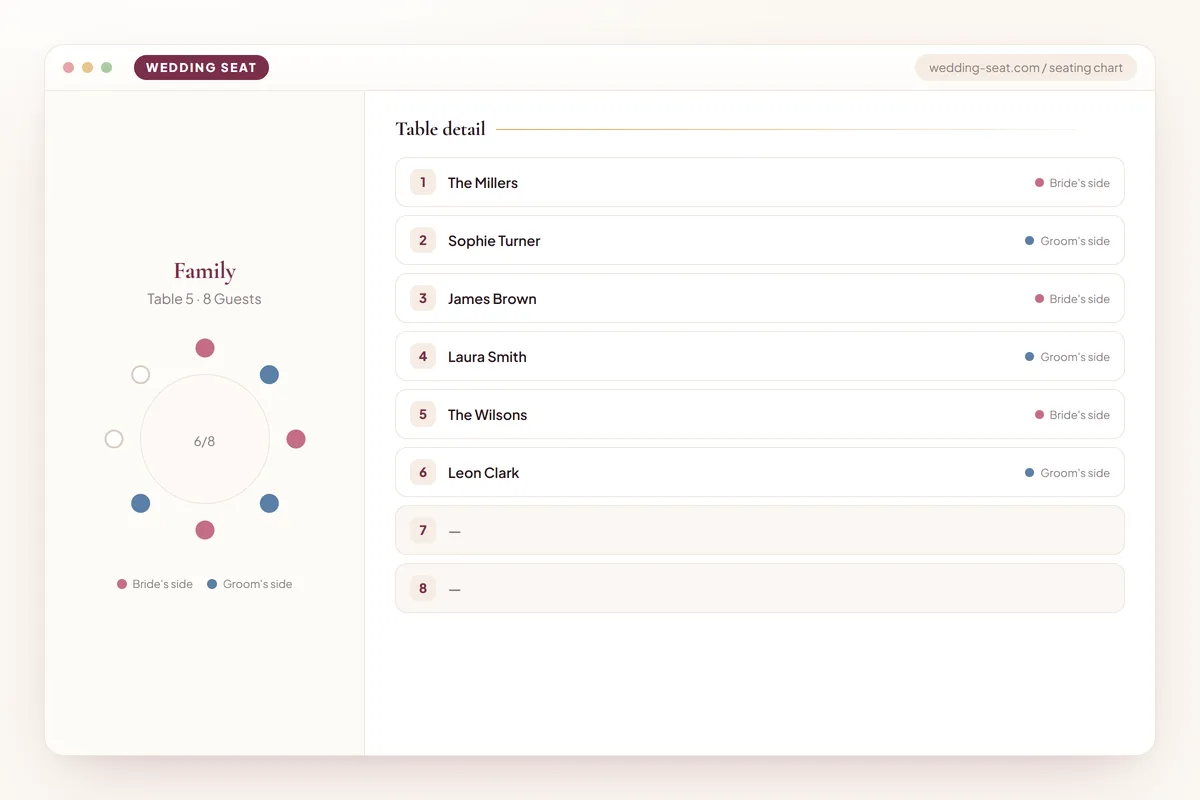
Printing, Displaying, and Sharing the Final Chart
For the physical display at your reception entrance, print at a minimum 18x24 inch size for guest lists under 100 names, and consider 24x36 for larger weddings — anything smaller becomes hard to read in a crowded entryway with guests jockeying for a look. Mount it on a easel, a large mirror, or a wooden frame depending on your décor style, and always place it somewhere with good lighting, since evening receptions often have dim ambient lighting near the entrance that makes small print illegible. It's worth printing two identical copies if you're expecting more than 120 guests, positioned on either side of the entrance, purely to prevent a bottleneck of guests all trying to read one board at once. Beyond the physical display, export a digital version from the tool above to share with your caterer, day-of coordinator, and venue manager — they each need an accurate, current table-and-headcount reference independent of your printed display, since catering service and place settings are built directly from this data. Keep one printed backup copy in your day-of emergency kit as well, since displays occasionally get knocked over, rained on, or misplaced during setup, and you don't want your coordinator scrambling to rebuild it from memory an hour before guests arrive.
Using Wedding Seat and Sigvanta to Move Faster
Wedding Seat is built specifically so you don't have to choose between a rough paper draft and expensive planner software — the same drag-and-drop canvas above lets you import your guest list, test multiple table layouts side by side, and share a live link with your partner or parents for real-time feedback instead of emailing screenshots back and forth. The built-in Sigvanta smart-assign feature is particularly useful during your first draft pass: it can suggest an initial table grouping based on the guest clusters you've labeled, giving you a starting point to edit rather than a blank grid to fill from zero, which saves most couples the hardest part of the process — simply getting started. Because everything lives in one shared workspace, revisions during the RSVP-trickle-in period (week two through week four before the wedding) don't require rebuilding anything — you simply drag late RSVPs onto existing tables and the headcounts update automatically. When you're ready to lock in the final version, export directly to a print-ready display and a shareable digital link for your caterer and coordinator, both generated from the exact same data set so there's no risk of your printed chart and your catering headcount disagreeing with each other.
Budgeting for Tables, Linens, and Seating
Table and chair rentals are typically priced per unit rather than per guest, so your seating chart decisions directly affect your rental invoice — a room seated entirely in rounds of 8 needs more individual tables (and more linens, centerpieces, and floral arrangements) than the same guest count seated at fewer, longer banquet tables. If your venue doesn't include house tables and chairs, get your table count finalized in the tool above before requesting rental quotes, since rental companies price by exact table and chair count, and revising your order after the fact often incurs a change fee. Linens are priced per table as well, and round tables generally require a larger, more expensive tablecloth size than a comparable banquet table seating the same number of guests — factor this into your decision if the guest list is large and every table counts. Centerpieces multiply with your table count too, so a layout with 14 smaller round tables instead of 9 larger banquet tables can meaningfully increase your floral budget even at the identical guest count — this is one of the most overlooked budget levers in the entire planning process, and it's decided entirely by the table-shape choice you make in this tool.
Handling Last-Minute Changes and Day-Of Adjustments
Expect at least a handful of changes in the final week — a guest who cancels due to illness, a plus-one who finally gets a name, a family seating request that surfaces the week of the wedding. Keep your seating chart in an editable digital format (rather than only a finished printed poster) right up until the morning of the rehearsal dinner, so these changes don't require redoing the whole layout by hand. Brief your day-of coordinator or a trusted family member on the two or three most sensitive seating decisions — the divorced-parents split, the estranged siblings, the table you deliberately kept a difficult guest away from — so they can handle a last-minute walk-in guest or a chair-shortage crisis without accidentally undoing your careful planning. If a guest shows up who RSVP'd no but appears anyway (it happens more often than couples expect), have your coordinator add an extra chair to the most flexible table — usually a banquet table with a little extra room — rather than disrupting a full round table that has no spare seating capacity. Always bring one printed backup copy of the final chart to the venue, since Wi-Fi or device issues on the wedding day are the worst possible moment to discover you can't access your digital layout.
Digital Display, Printed Poster, or Both
A purely digital seating chart — displayed on a tablet, TV screen, or projected slide near the entrance — works well for modern, tech-forward weddings and offers one major advantage: you can update it up until the moment guests arrive, which is useful if your RSVP list is still settling in the final 48 hours. A printed poster or framed chart remains the more traditional choice, tends to photograph better for your own wedding album, and doesn't depend on a power outlet or working device at the venue, which matters more at outdoor or rustic venues with unreliable electricity access near the entrance. Many couples now do both: a printed decorative poster as the primary display, with a digital version on standby in case of last-minute changes that can't be reprinted in time. Whichever you choose, make sure your caterer, venue coordinator, and any day-of helpers have access to the same version — a printed poster with outdated information because a digital version was quietly updated afterward is a common and entirely avoidable day-of mixup.
- Digital display: editable until the last minute, needs power and a device
- Printed poster: reliable, photogenic, harder to update last-minute
- Hybrid approach: printed primary display plus digital backup for late changes
- Always sync caterer and coordinator copies to the same final version
Accessibility and Special Needs Seating
Guests using wheelchairs or mobility aids need tables positioned with a clear, unobstructed path from the entrance and enough clearance around the table itself — at least 36 inches of clear aisle space, ideally more near doorways and the dance floor. Avoid seating a guest with mobility needs at a table requiring them to navigate around several other tables or through a tight gap near the bar; place them on an outer edge of the layout with the most direct access route instead. For guests with hearing difficulties, seat them away from speakers and the DJ setup, and ideally facing the head table or wherever toasts will be given, so they can lean on lip-reading or visual cues during speeches. Guests with young children who may need to step away frequently (nursing parents, families with toddlers) benefit from an aisle-adjacent seat rather than a middle seat at a round table, where getting up repeatedly disrupts everyone else at the table. If you know a guest has a specific need in advance, ask directly rather than guessing — a quick message asking ‘is there anything about seating that would make the day easier for you?' takes thirty seconds and prevents a genuinely uncomfortable situation for that guest throughout the entire reception.
Your Final Pre-Lock Checklist
Before you export or print the final version from the tool above, run through this list: every confirmed RSVP guest is placed at a table with zero names left in the unassigned column; every table's guest count matches its physical seat capacity, with no table over-filled or awkwardly short by one seat; plus-ones have real names, not ‘and guest' placeholders; children's ages have been considered for kids'-table groupings; divorced parents and any known family conflicts have been double-checked with at least one trusted family member; vendor and officiant seating (or vendor meal arrangements) has been confirmed with your caterer; your display format — alphabetical or by table number — matches your guest count and venue style; and a printed backup copy exists independent of any digital display. Share this final version with your partner, your day-of coordinator, and your caterer at the same time, so everyone is working from one identical source of truth going into the final week. For a broader final-week planning check beyond just seating, our printable wedding checklist template covers the rest of the tasks that typically converge in this same last stretch before the wedding.
Examples in every theme
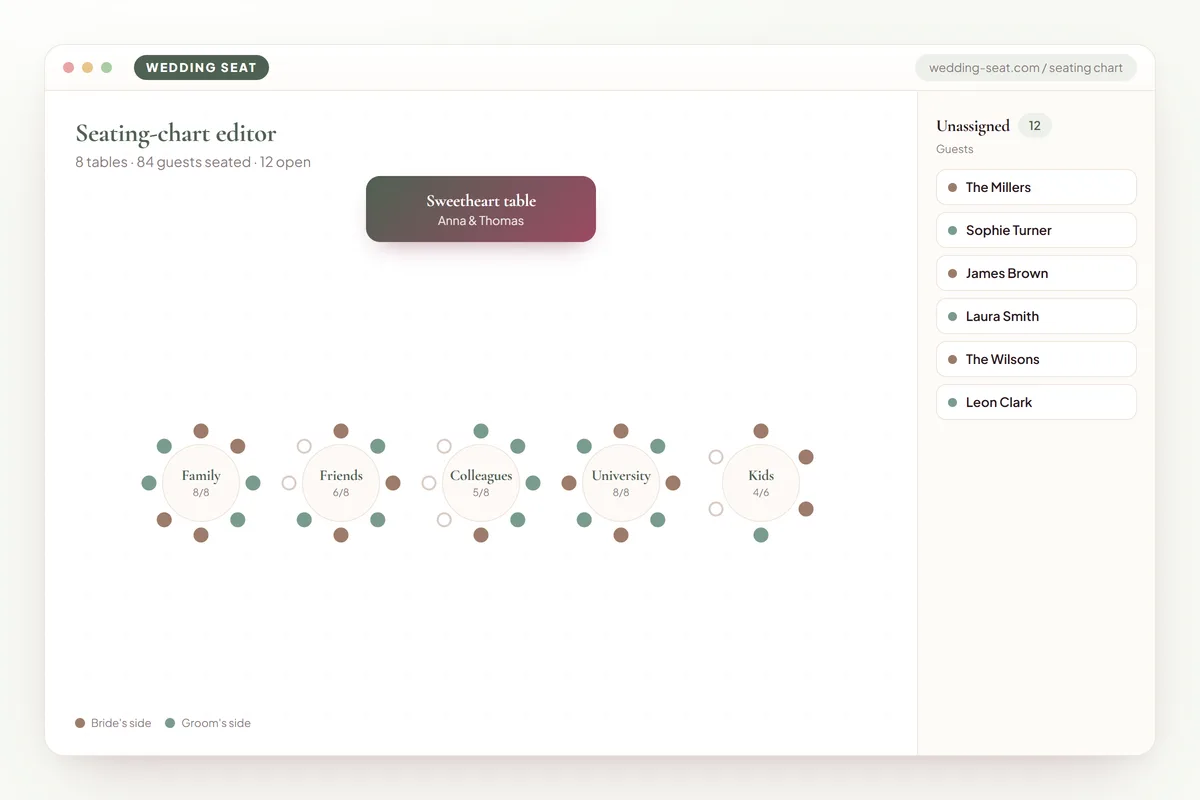
1.Seating-chart editor · Sage & Olive 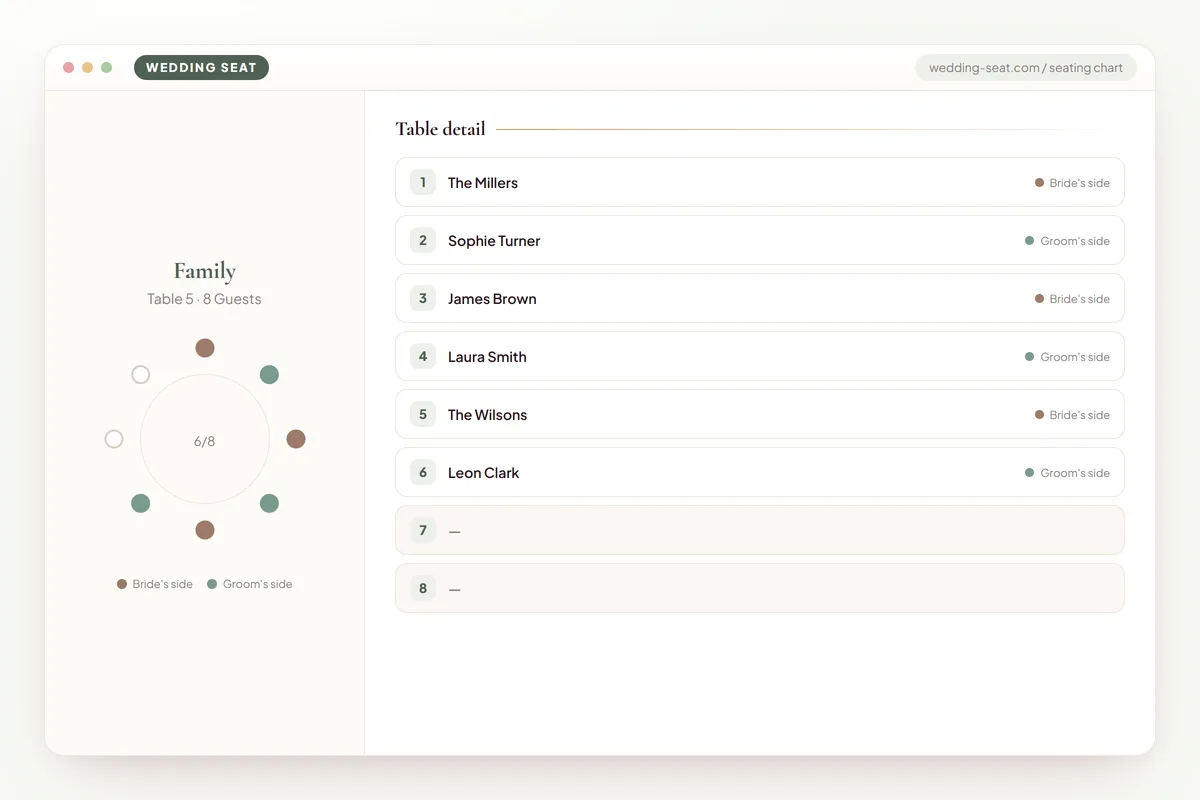
2.Table detail · Sage & Olive 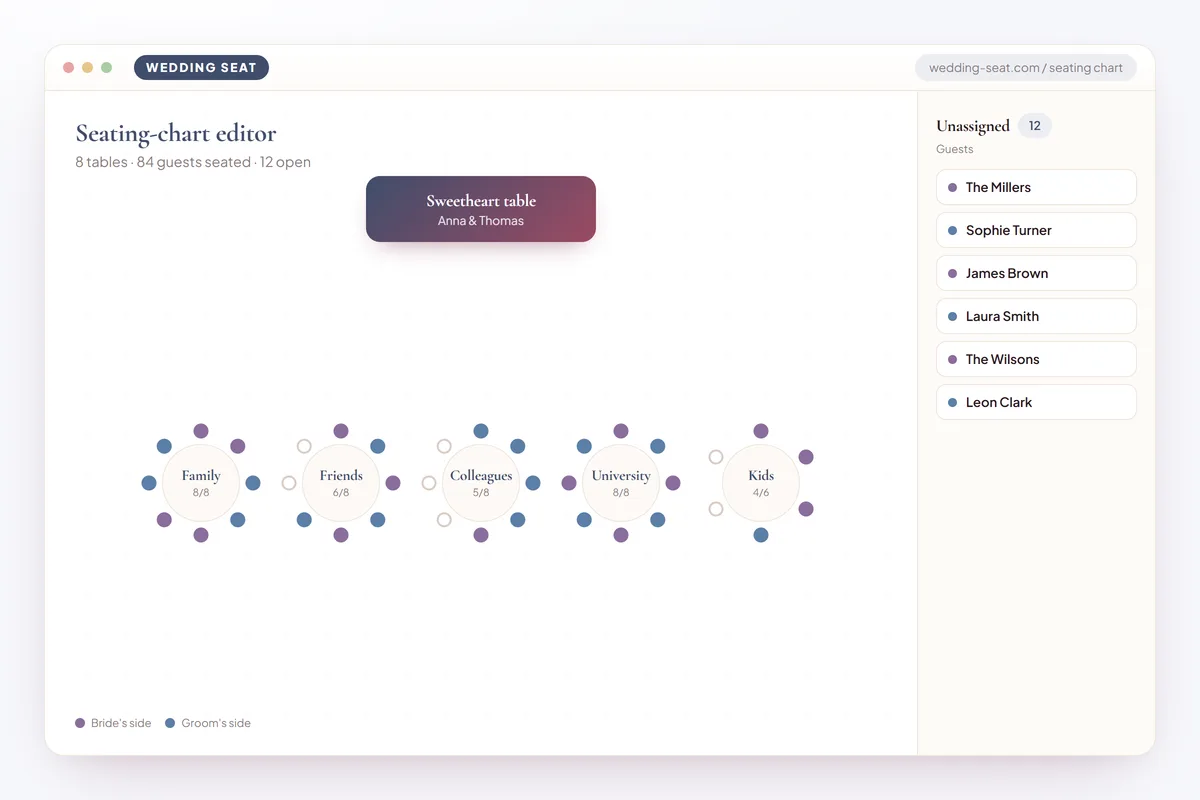
3.Seating-chart editor · Dusk Blue 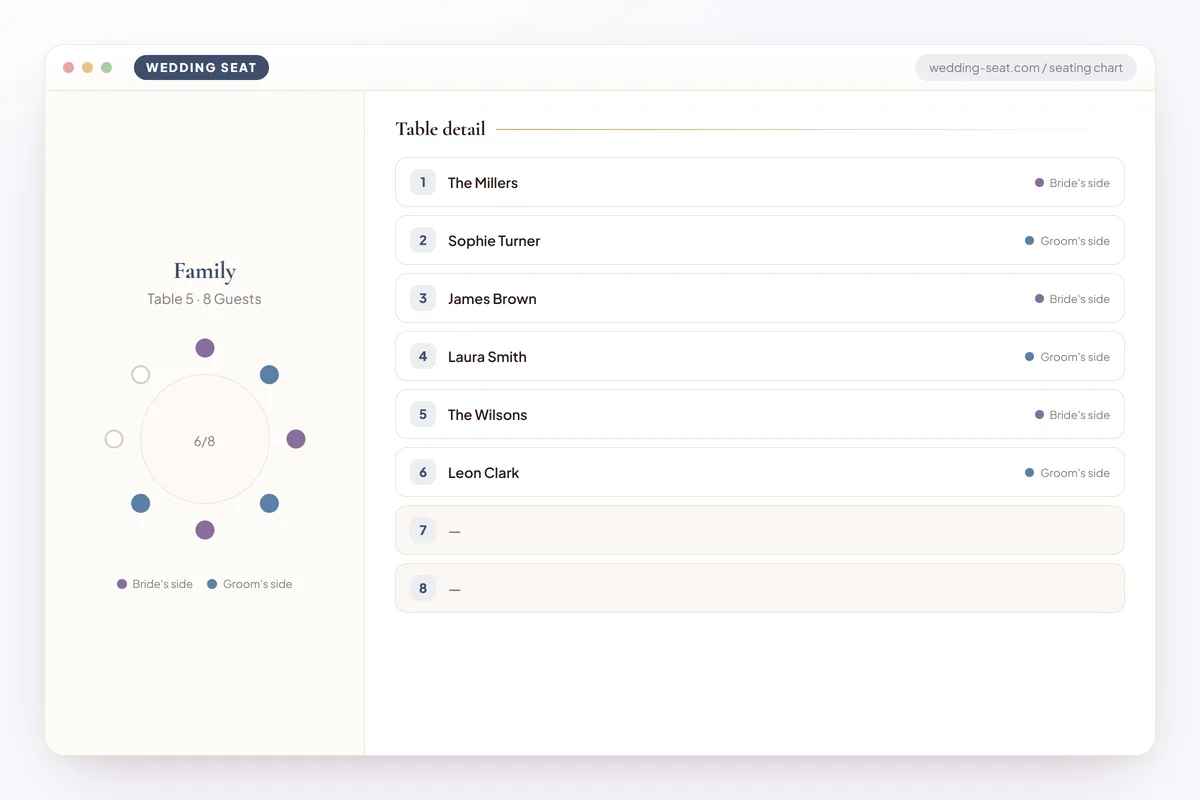
4.Table detail · Dusk Blue 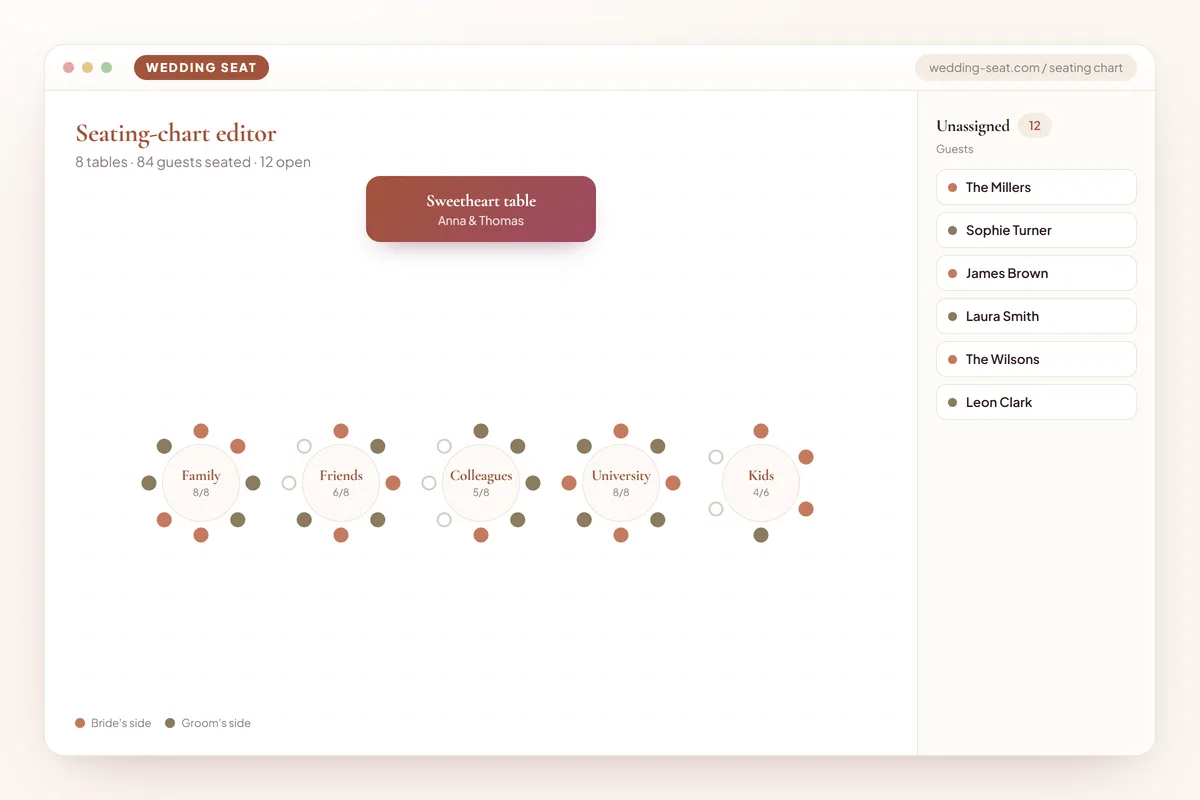
5.Seating-chart editor · Terracotta 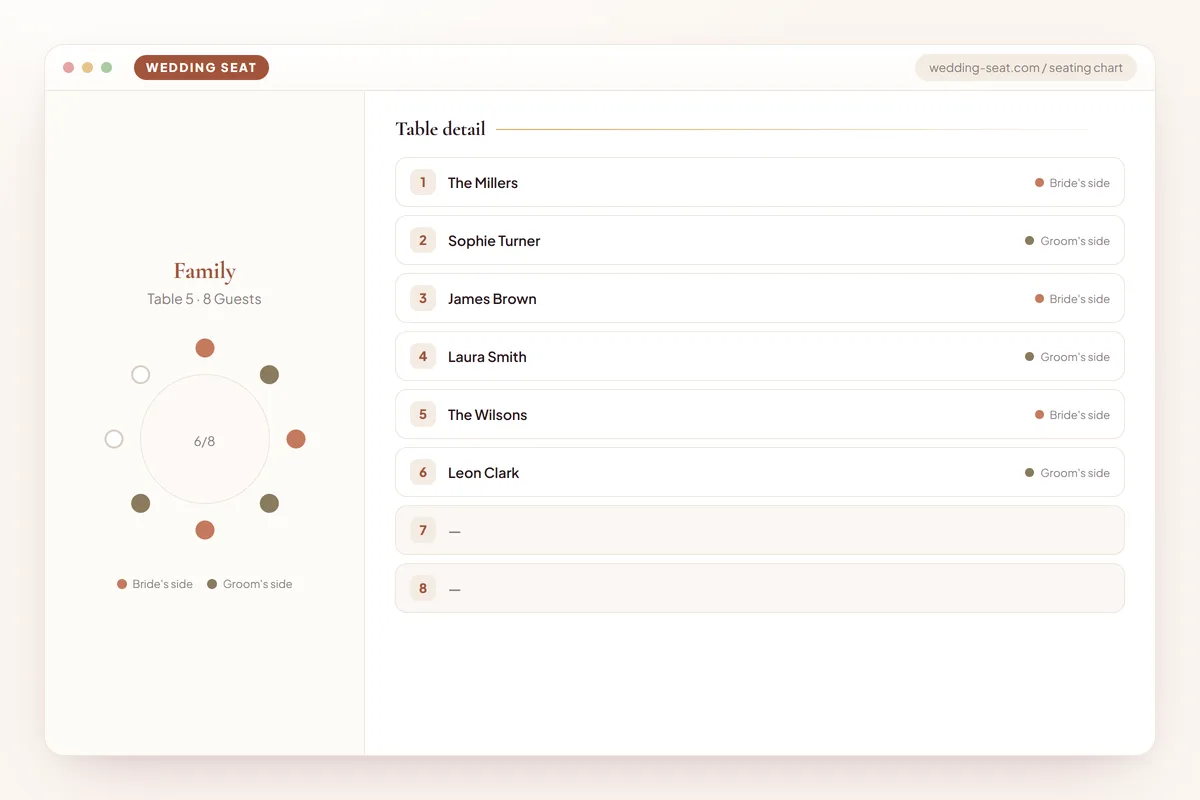
6.Table detail · Terracotta 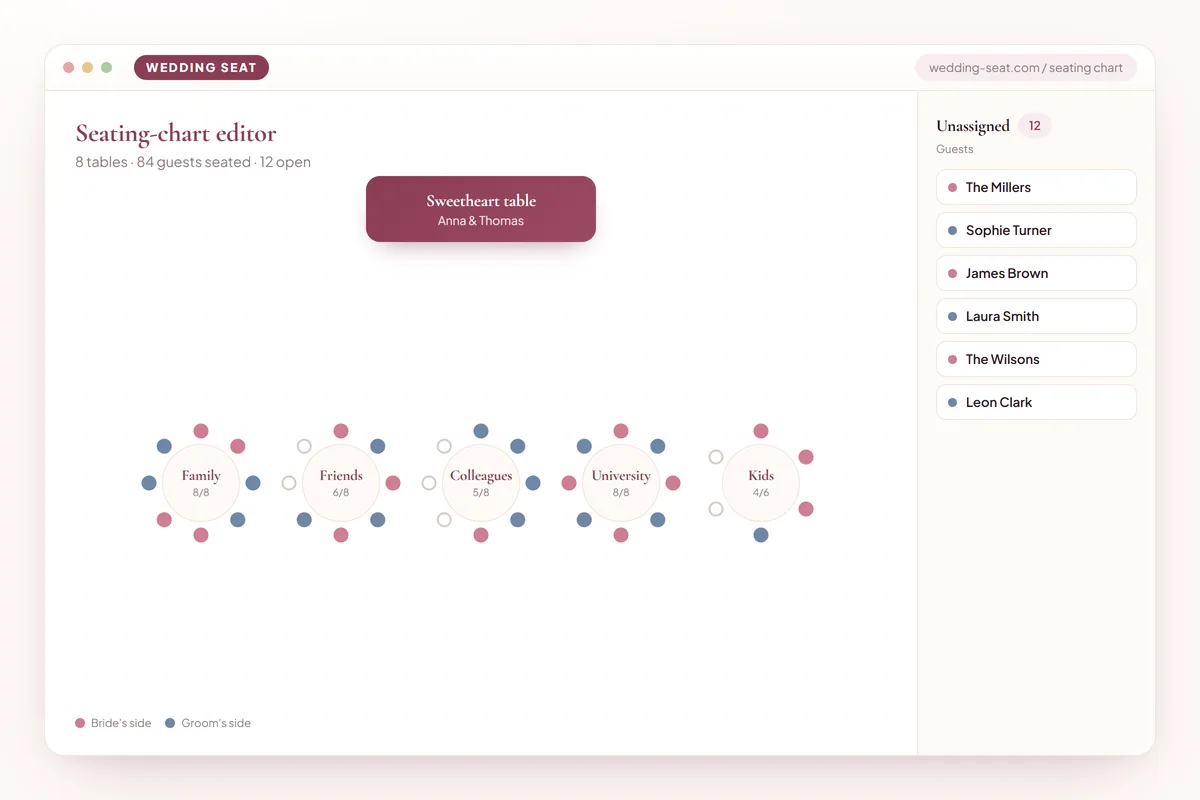
7.Seating-chart editor · Classic Rose 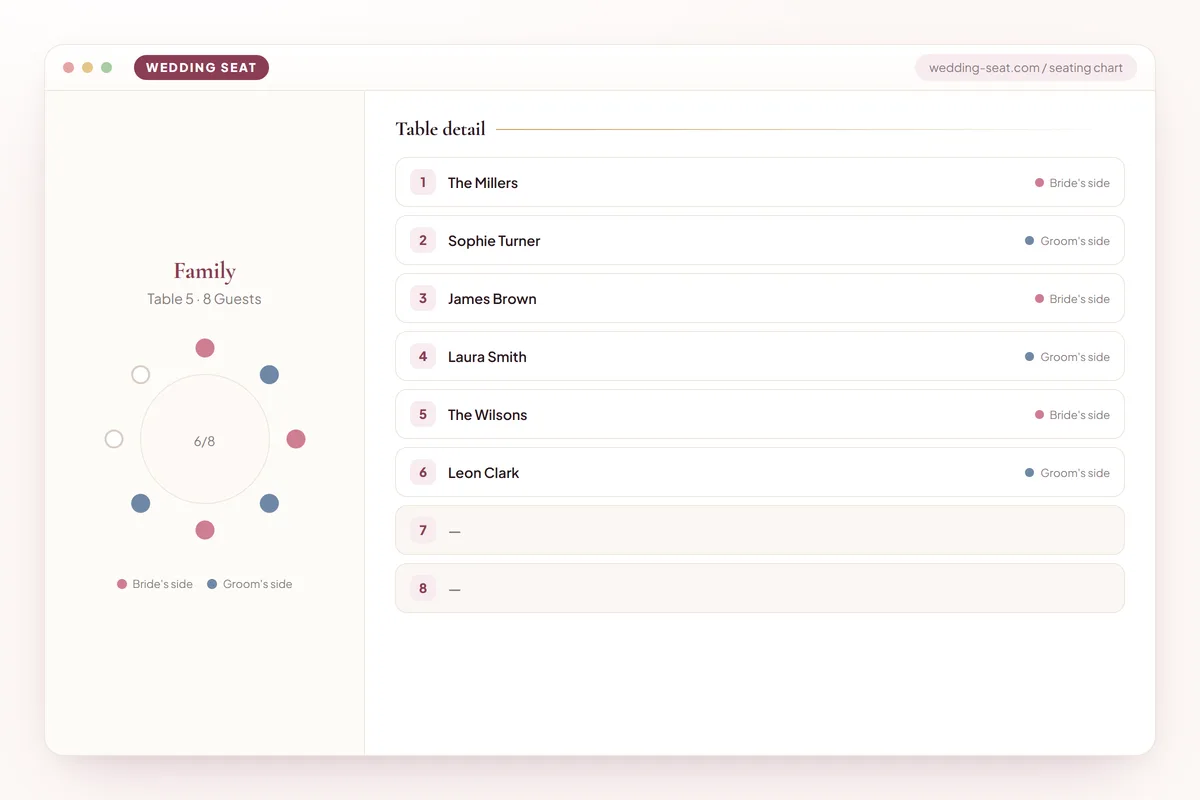
8.Table detail · Classic Rose 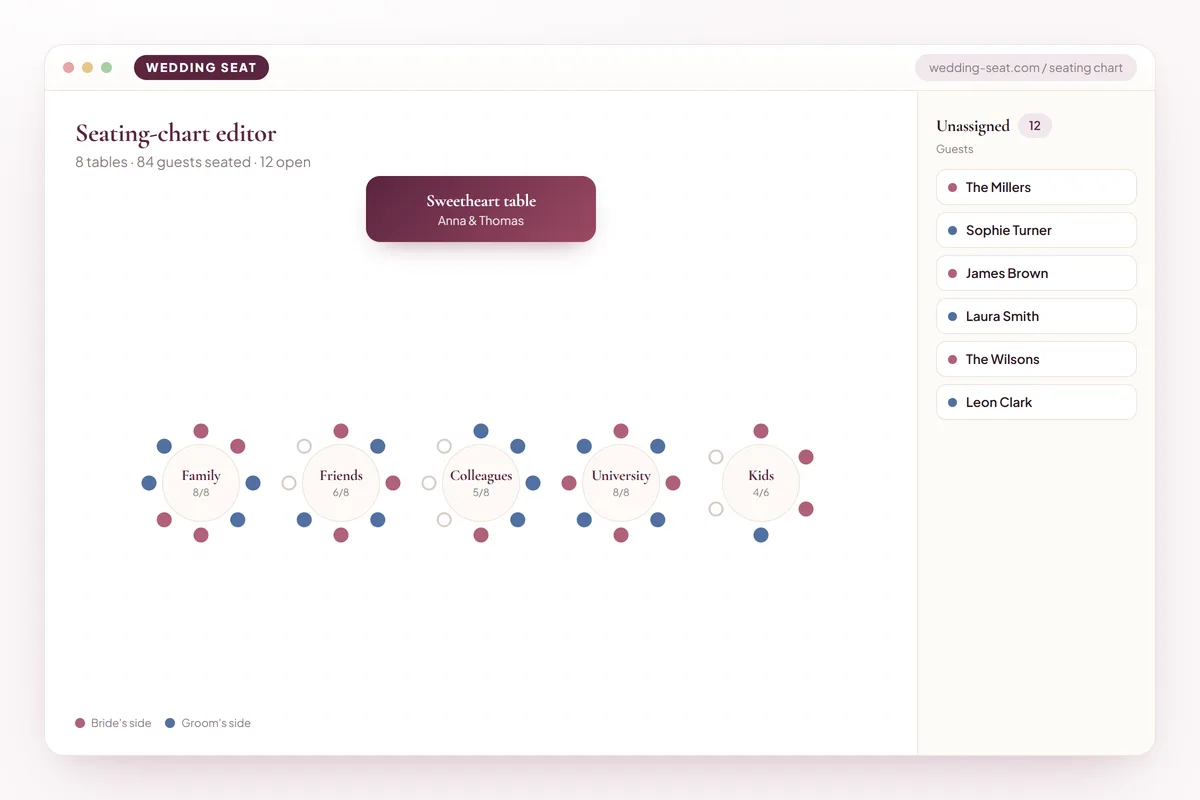
9.Seating-chart editor · Midnight Plum 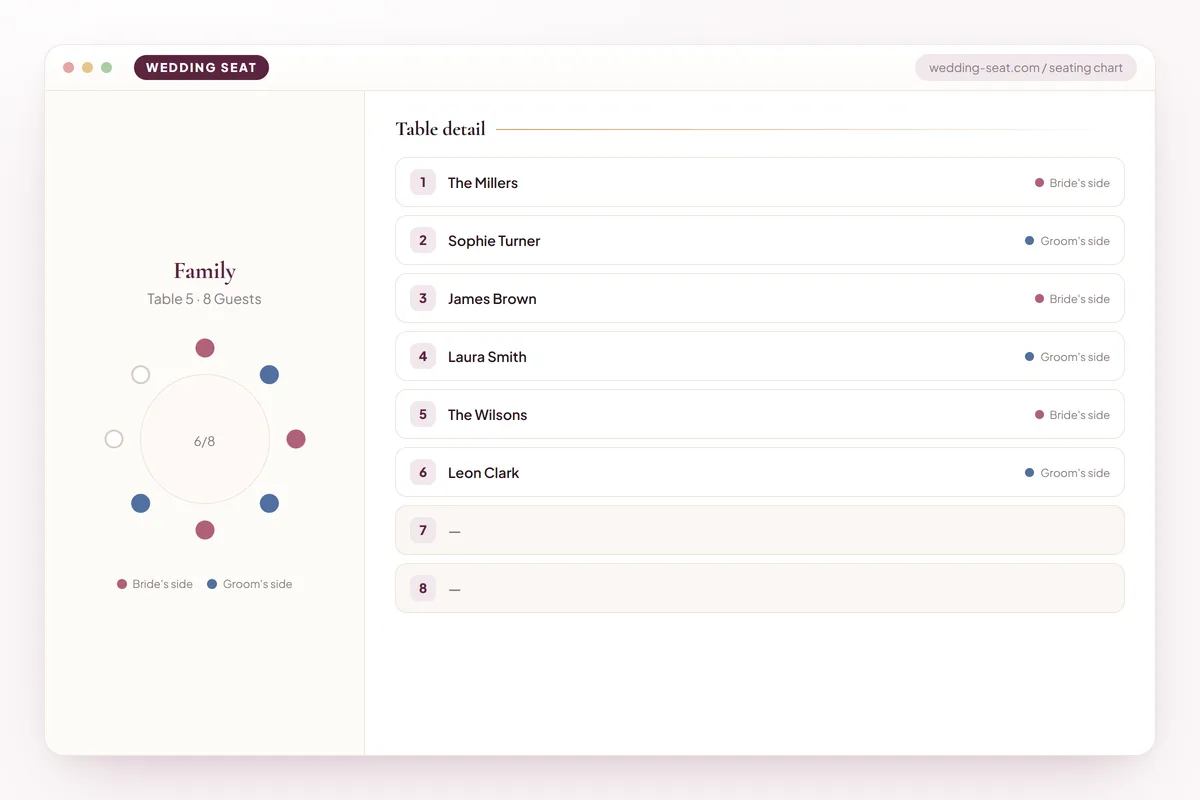
10.Table detail · Midnight Plum
Frequently asked questions
How far in advance should our seating chart be finished?
Aim to have a rough draft ready the day your RSVP deadline closes, a refined version about a week later once you've caught obvious pairing problems, and a truly final, locked version five to seven days before the wedding. This timeline leaves enough room to handle late RSVPs and last-minute family requests without forcing you to rebuild the entire layout in the final 48 hours, which is when most avoidable stress happens.
Do we need place cards if we already have a seating chart?
Not necessarily. A seating chart or escort cards get guests to the right table, which is enough for most receptions with casual or family-style seating. Place cards, which assign a specific chair within a table, are worth adding only for formal plated dinners, head tables, or situations where you need to keep two specific guests apart within the same table — otherwise they add cost and complexity without solving a problem you actually have.
What's the best way to seat divorced parents who don't get along?
Seat each parent with their own current partner (if applicable) at separate tables positioned at a comparable distance from the head table, so neither feels demoted relative to the other. Avoid placing them at the same table unless both have explicitly told you they're comfortable with it — don't assume time has resolved tension without confirming directly with at least one side beforehand.
How do we handle guests who RSVP'd but then bring an unexpected plus-one?
Brief your day-of coordinator ahead of time to add an extra chair at the most flexible nearby table, ideally a banquet table with a little spare room, rather than disrupting a fully seated round table that has no capacity to spare. This is exactly the kind of last-minute situation worth flagging to a trusted helper in advance so it doesn't fall entirely on you to solve during the reception itself.
Should we use round tables or banquet tables for a mid-size wedding of about 100 guests?
Both work well at that size, and the decision usually comes down to venue shape and desired atmosphere rather than guest count alone. Round tables suit rooms with more open floor space and encourage conversation across the whole table, while banquet tables fit narrower or more rustic venues and create a communal, family-style feel; many couples at this guest count mix both, using banquet tables for the head table or family and rounds for the rest of the room.
What's the biggest seating chart mistake couples make?
Finalizing the layout before RSVPs are fully in, which forces a rushed rebuild when late confirmations or cancellations arrive. The second most common mistake is the ‘miscellaneous' table — grouping unrelated singles and distant guests together with no shared connection — which guests notice immediately and which is easily avoided by finding at least one common thread per table before finalizing.
Can we change the seating chart after it's printed?
Yes, but keep an editable digital version alongside any printed poster right up until the morning of the wedding, since last-minute cancellations or additions are common in the final week. If a change happens after printing, update the digital version shared with your caterer and coordinator immediately, and bring a corrected printed backup if there's time, so every version everyone is working from matches.
Ready to see your own guest list fall into place? Scroll back up and start dragging names into tables in the free seating chart tool above — your first draft takes just a few minutes, and you can revise it as many times as your RSVPs keep changing.
Plan faster
Start your free wedding project in seconds.